


Intelligent automation for K-12 service operations
Automated workflows for the next-generation service desk
- Automate repetitive, time-consuming tasks
- Streamline cross-department workflows and eliminate silos
- Cut ticket resolution times and eliminate manual paperwork
Trusted by districts nationwide


No code
build a workflow in a few clicks
14+
district departments on one engine
Bulk
scheduled runs across thousands of records
SIS + MDM
context pulled from systems you already run
K-12 workflow automation capabilities
Automated workflows for K-12 requests and tasks
Reduce repetitive tasks, and keep requests, questions, and support flowing efficiently, without the need for coding.
Request a Demo-
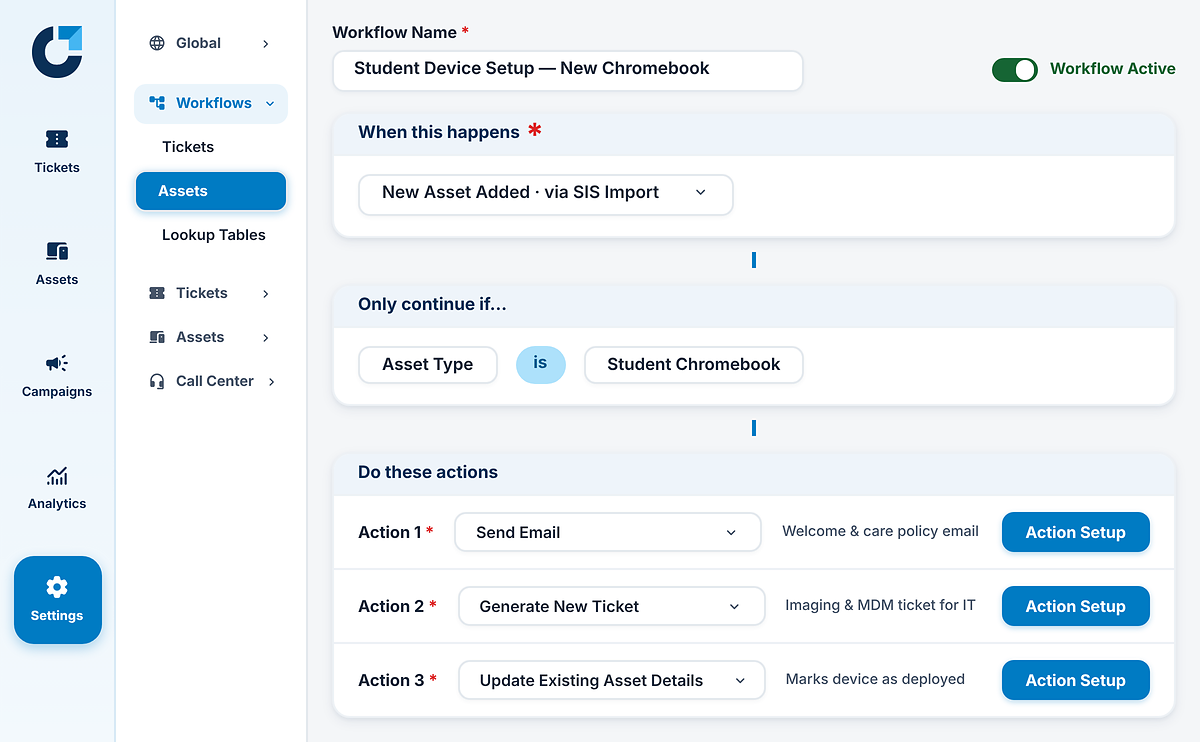
No-code workflow creation
Configurable automations with no coding required. Create workflows in a few clicks from an exhaustive list of triggers, conditions, actions, and lifecycle stages.
-
K-12-specific workflow setups
Pre-built triggers, conditions, and actions for K-12 use cases across ticket management, asset management, and user management.
-
Automated triaging & smart routing
Intelligent categorization instantly routes incoming requests to the exact queue or technician based on request type and school site.
-
Scheduled workflows for bulk operations
Save time by scheduling automated workflows to manage large volumes of tickets and assets.
-
Cross-department workflow engine
A drag-and-drop builder that automatically triggers multi-step tasks across IT, HR, and facilities.
-
Interoperable district integrations
Direct hooks into existing Student Information Systems, MDM, and the other tools your district runs.
-
Workflows defined by data relationships
Leverage data look-up tables to define any data relationship and make workflows context-aware.
K-12 workflows by department
Intelligent workflows form the operational backbone of every K-12 department
Workflows for ITSM and departmental service help desks
-
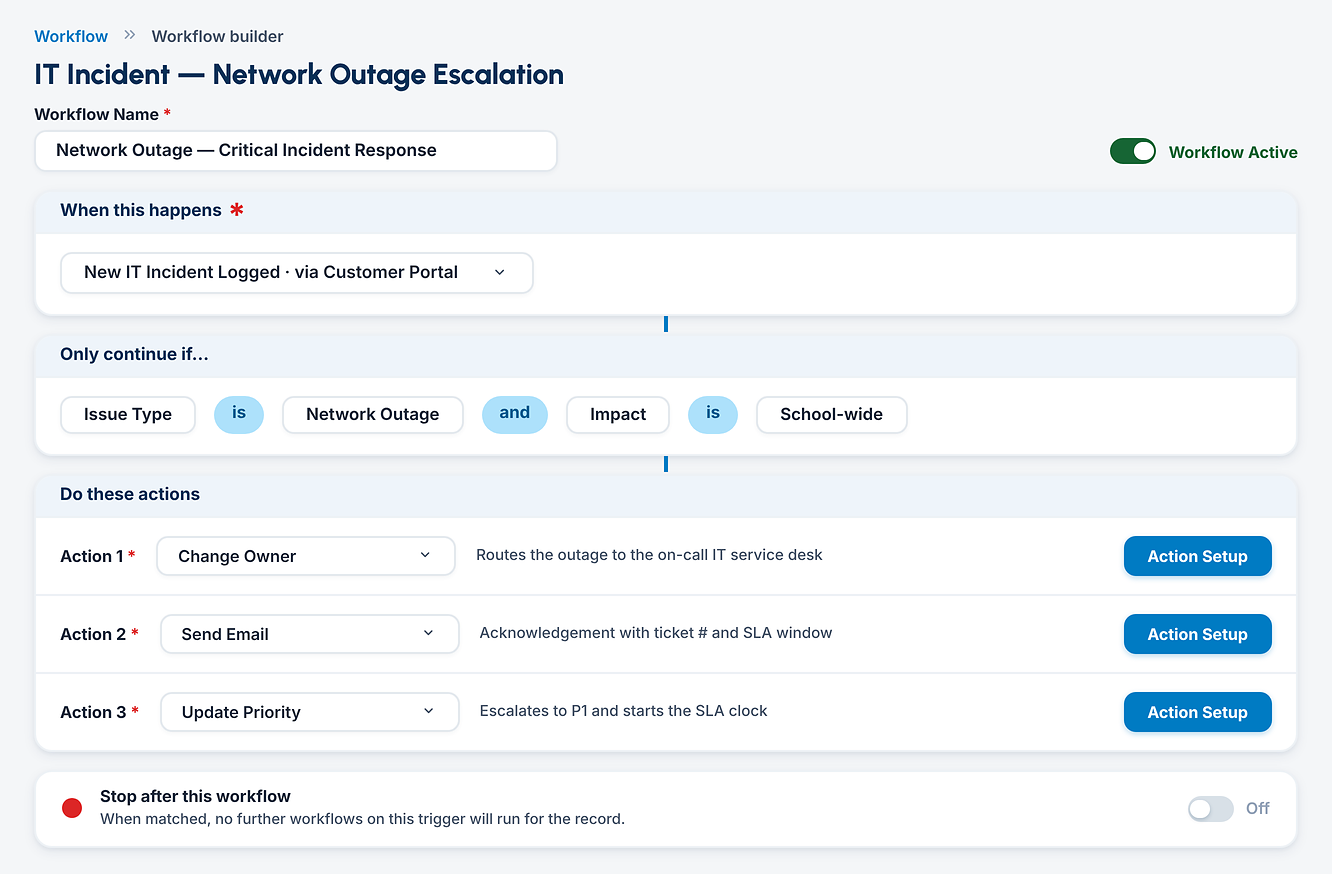
Smart request routing
Automatically route tickets and service requests based on location, requester role, physical assets, department, or issue type.
-
Automated urgency escalation
Define conditions of urgency and instantly elevate requests tied to critical system failures, safety hazards, or operational bottlenecks.
-
Targeted stakeholder alerts
Automatically notify key personnel by email the moment specific categories of requests are submitted.
-
Dynamic SLA management
Assign tailored response and resolution timelines based on request type, department, and urgency level.
Workflows for IT asset management
-
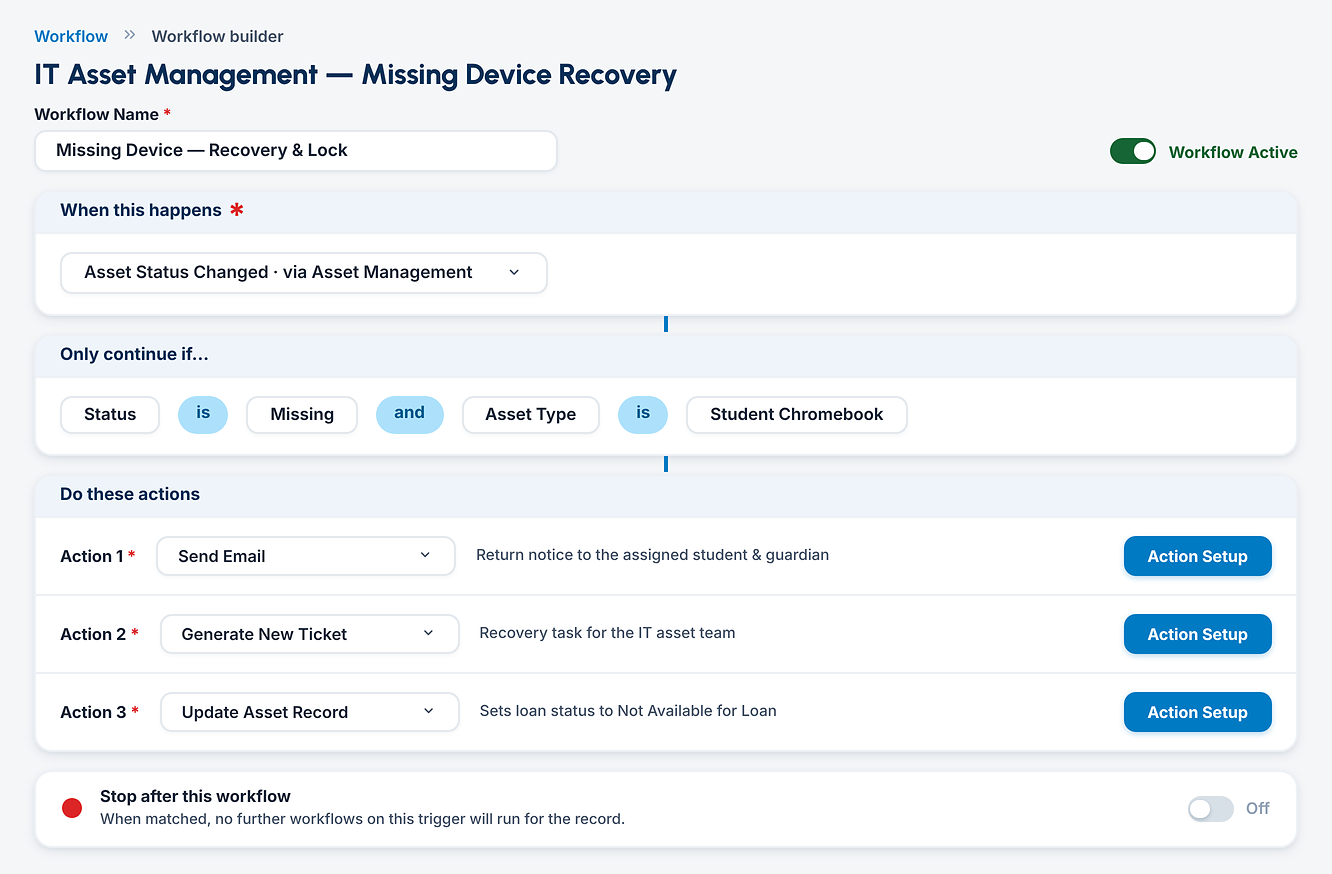
Automated provisioning & inventory
Update and track inventory levels, alert stakeholders on low stock, and simplify SIS-based assignment during back-to-school peaks.
-
Intelligent warranty & repair tracking
Monitor warranty expiration, route devices to the right repair vendor, and generate monthly cost-per-device metrics without manual triage.
-
Bulk operations & offboarding
Process thousands of asset updates, loaner allocations, and end-of-life retirements with audit trails for compliance and e-waste tracking.
Workflows for HR
-
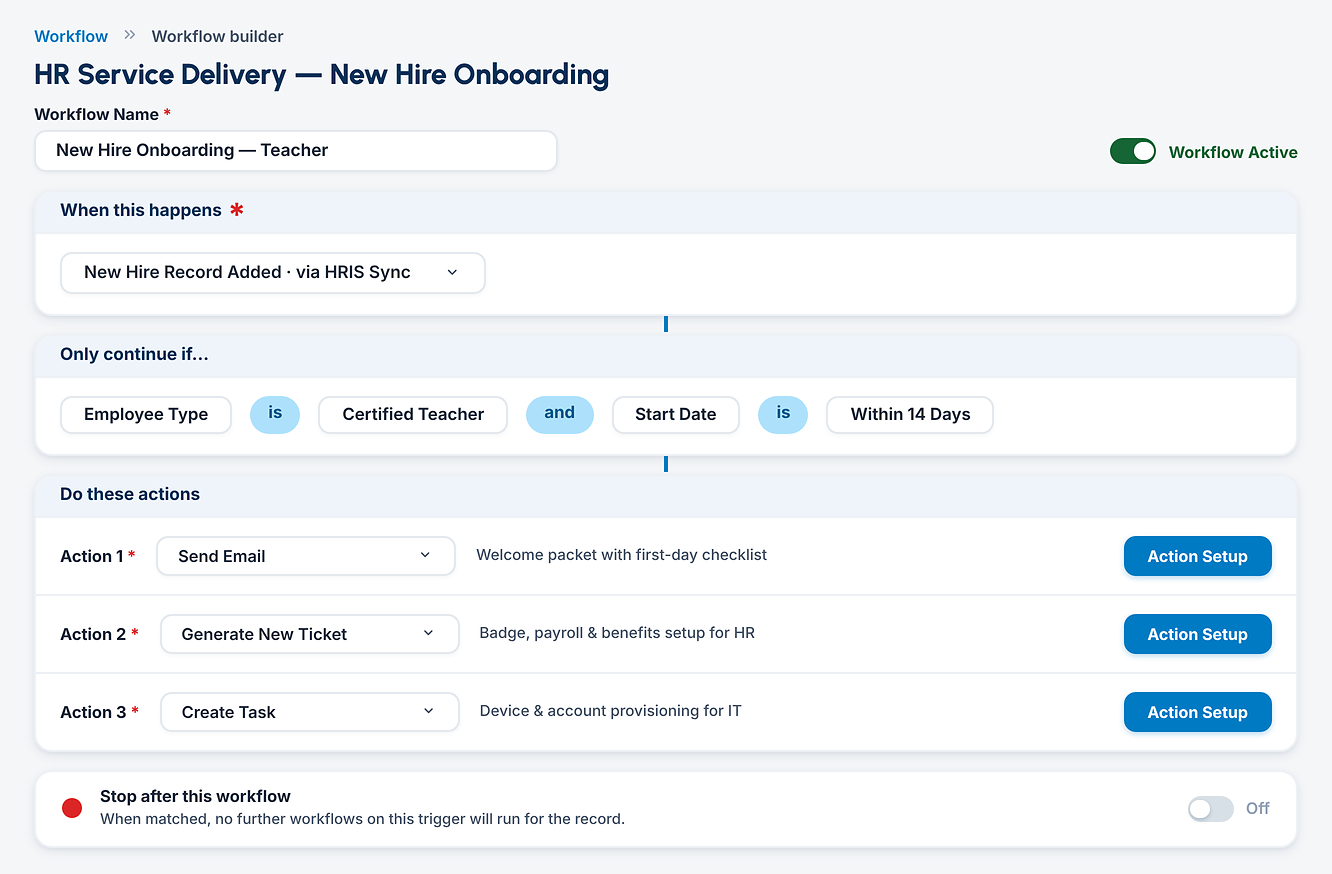
Automated onboarding & offboarding
Trigger account provisioning, device issuance, and system access — then access revocation, equipment recovery, and password resets — with cascading accountability across IT, Facilities, and departments.
-
Streamlined submissions
Employees choose their reimbursement type and provide all required information via a custom form tailored to the specific program.
-
Automated routing and approval
Each request, with uploaded receipts and proof of completion, is sent automatically to the right HR contact for review and approval.
Workflows for Facilities
-
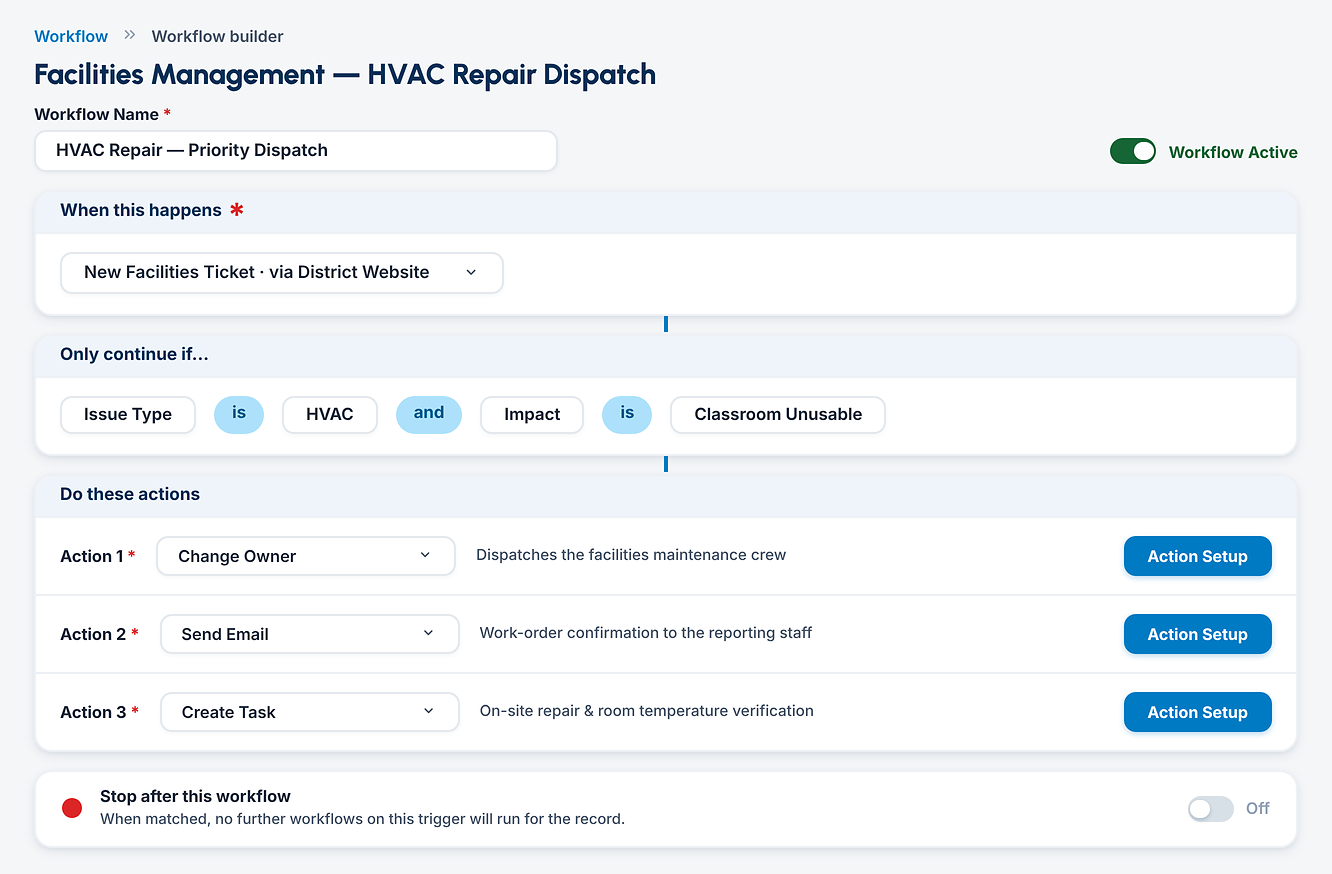
Work order routing & escalation
Categorize and route facility requests to the appropriate technicians; instantly escalate water leaks, electrical hazards, and safety hazards to the facilities manager and building principal.
-
Preventive maintenance scheduling
Schedule routine maintenance on set intervals, monitor equipment runtime thresholds, and correlate incidents with maintenance records to act before failures.
-
Safety compliance & audit trails
Schedule and track safety inspections, generate audit-ready documentation with geolocation verification, and flag non-compliance for superintendent escalation and board reporting.
Workflows for Transportation
-
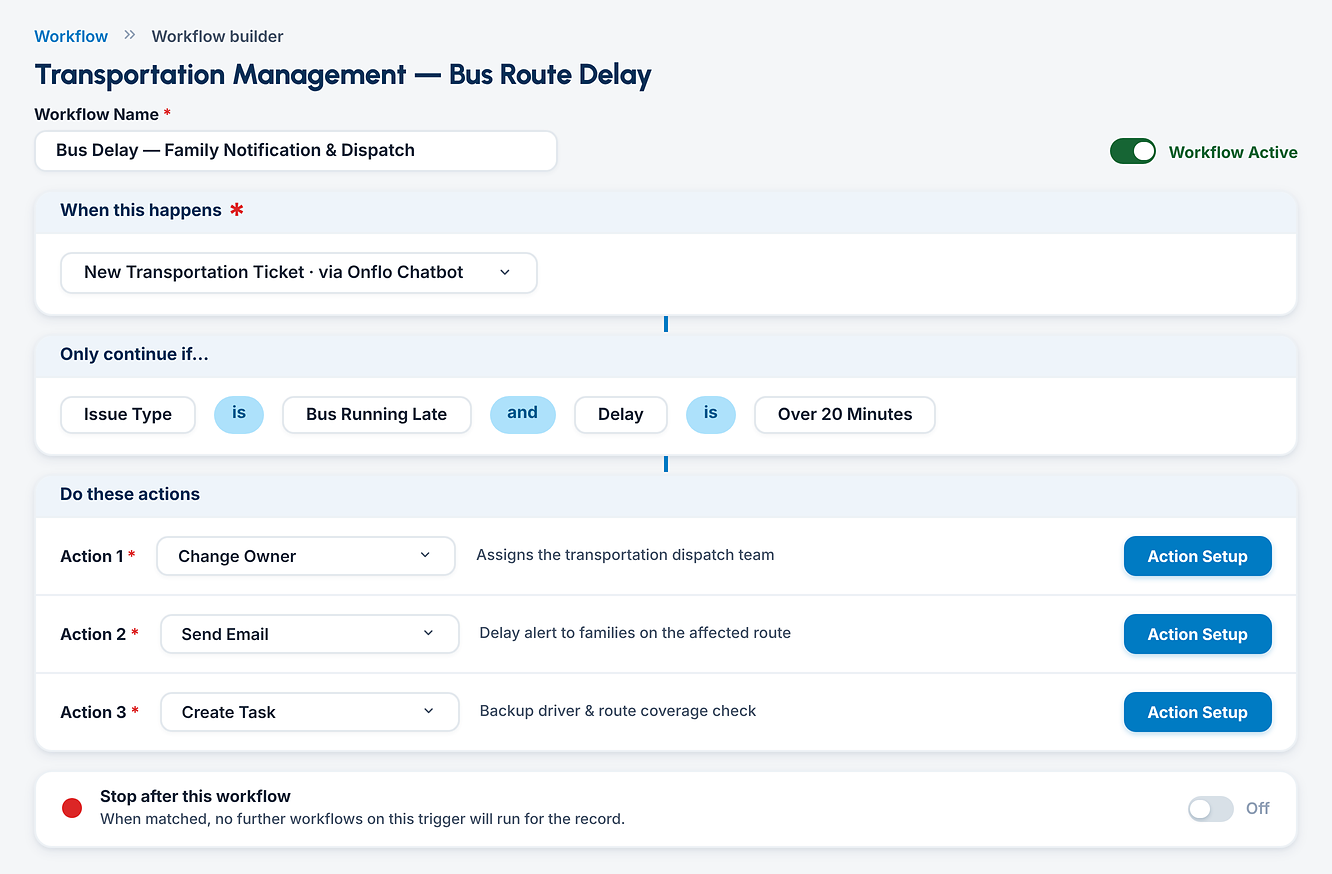
Bus delay notification
An automated workflow notifies guardians about bus delays or schedule changes, with data pulled directly from your transportation systems.
Interoperable district integrations
Workflows defined by your own data relationships
Direct hooks into existing Student Information Systems, MDM, and the other tools your district already runs — with data look-up tables that make every workflow context-aware.
- SIS Systems
- MDM Systems
- HRIS & Payroll
- Transportation Systems
- SIS
- HRIS
- MDM
- Transport
- Finance
- Cloud
Workflow automation FAQ
Common questions about K-12 workflow automation
What is K-12 workflow automation?
K-12 workflow automation uses configurable rules to handle repetitive service tasks without manual effort. In Onflo, a workflow starts from a trigger, such as a new ticket, a device request, or a new hire. It then checks conditions and runs actions like routing, escalating, assigning, or notifying. That keeps requests moving across IT, HR, facilities, and transportation without paperwork or hand-offs.
Do we need developers to build workflows in Onflo?
No. Onflo workflow automation is no-code. Staff create workflows in a few clicks with a drag-and-drop builder, choosing from a list of triggers, conditions, actions, and lifecycle stages. Pre-built K-12 setups for ticket management, asset management, and user management give teams a starting point.
Which district departments can use Onflo workflows?
More than 14 district departments run on one workflow engine. This page covers Service Desk and ITSM, IT Asset Management, Human Resources, Facilities, and Transportation. Because the engine is shared, a single workflow can span departments, for example triggering IT, Facilities, and HR tasks from one new-hire request.
How does smart request routing work?
Onflo categorizes each incoming request and sends it to the right queue or technician automatically. Routing can use location or school site, requester role, physical assets, department, or issue type. You can also define urgency conditions, so requests tied to system failures or safety hazards, such as water leaks or electrical issues, are escalated immediately to the right people.
Can workflows run on a schedule or in bulk?
Yes. Scheduled workflows manage large volumes of tickets and assets at once, such as thousands of asset updates, loaner allocations, and end-of-life retirements. Bulk runs keep audit trails, which supports compliance and e-waste tracking, and they help during back-to-school peaks.
Does Onflo integrate with our SIS, MDM, and other systems?
Onflo connects to the systems districts already run, including Student Information Systems, MDM, HRIS and payroll, and transportation systems. Data look-up tables let you define any data relationship, so workflows are context-aware. For example, a workflow can pull SIS data to assign devices or transportation data to notify guardians about bus delays.
Transform K–12 service operations today
Join modern school districts leveraging Onflo to streamline service operations with K-12 specific workflows.
Request a Demo